Tuesday, January 9, 2018

C# 7.2 : in Parameters

With C# 7.2, a nice set of syntax improvements that enable working with value types were introduced. My favorite among these is in Parameters.

In this post let’s see what in parameters really is.

As you have already know C# had ref and out for a quite a while now. If we recall what ref and out does (within parameter modifier context), it’s basically as follows.
static void Main(string[] args)
{
    Method1(out int i);
    Console.WriteLine(i); // 10
 
    Method2(ref i);
    Console.WriteLine(i); // 20
}
 
static void Method1(out int i)
{
    // Variable i needs to be assigned a value before leaving the method
    i = 10;
}
 
static void Method2(ref int i)
{
    // Variable i might/might not be assigned a value before leaving the method
    i = 20;
}
Both were used to pass the parameter by reference. The difference is when using out parameter, variable needs to be assigned a value before returning from the method. In ref parameter, there is no such requirement, within the method being called you can or not assign a value to ref parameter. But since there is a possibility of a value not being set there, before passing the ref parameter, it should have a value assigned.

But here from the caller, there is no option to say, within the method being called, the parameter should stay as readonly (if we make the parameter readonly, it’s affecting for outside use of the variable as well).

For this comes the in parameters.
static void Main(string[] args)
{
    Method1(out int i);
    Console.WriteLine(i); // 10
 
    Method2(ref i);
    Console.WriteLine(i); // 20
 
    Method3(i);
    Console.WriteLine(i); // 20
}
 
static void Method1(out int i)
{
    // Variable i needs to be assigned a value before leaving the method
    i = 10;
}
 
static void Method2(ref int i)
{
    // Variable i might/might not be assigned a value before leaving the method
    i = 20;
}
 
static void Method3(in int i)
{
    // Variable i is 20 and cannot assign a value
}
You can see, we have Method3 which accepts int i with in modifier. Unlike out and ref, when we are calling the methods which has in parameters, we don’t have to call like Method(in i). We can omit the in modifier, because the variable is going to be readonly within the method being called. Trying to set a value for in parameters from the method being called is illegal.

Isn’t it nice!

Happy Coding.

Regards,
Jaliya

Sunday, January 7, 2018

No CREATE OR ALTER before Microsoft SQL Server 2016 SP1

In one of the applications that I am working on, there was a stored procedure pushed in by a fellow developer as follows.
ALTER PROCEDURE [someSchema].[someProcedureName]
//--implementation
Since I didn’t have the procedure in my local Microsoft SQL Server database, I have changed the procedure with following and pushed back.
CREATE OR ALTER PROCEDURE [someSchema].[someProcedureName]
//--implementation
The change is I have made is from ALTER PROCEDURE to CREATE OR ALTER PROCEDURE. Then to my surprise got to know that, the stored procedure is breaking on my fellow developer's environment. He was having Microsoft SQL Server 2014 and I am on Microsoft SQL Server 2017.

Did some googling and got to know that CREATE OR ALTER was introduced with as part of Microsoft SQL Server 2016 SP1 enhancements.

For more  information read the following post,
Developers Choice: CREATE OR ALTER

Happy Coding.

Regards,
Jaliya

Friday, January 5, 2018

C# 7 Point Releases

C# 7.0 was publicly released on March, 2017 with the release of Visual Studio 2017. Prior to C# 7, there was less to no discussion about point releases to C# language version (citation needed). But with C# 7, the story is not the same. As of today, we already have C# 7.1 and 7.2.

C# 7.1 was released on August, 2017 with Visual Studio 15.3 while 7.2 was released on December, 2017 with Visual Studio 15.5.

Here is a list of features which got available with point releases.

C# 7.1
  • async Main method
  • default literal expressions
  • Inferred tuple element names
C# 7.2
  • Reference semantics with value types
  • Non-trailing named arguments
  • Leading underscores in numeric literals
  • private protected access modifier
Visual Studio 2017 lets you select the language version for your project. Go to Project Properties -> Build -> Advanced. You can decide whether you are going to live by the edge or not.
image
Project Language Version
Happy Coding.

Regards,
Jaliya

Monday, January 1, 2018

Visual C# Technical Guru - November 2017

Another month as a judge in Microsoft TechNet Guru Awards under Visual C# category. The TechNet Guru Awards celebrate the technical articles on Microsoft TechNet.

Post in WikiNinjas Official Blog,
image
Visual C# Technical Guru - November 2017
Happy Coding.

Regards,
Jaliya

Tuesday, December 5, 2017

AutoMapper : Handling Profile Dependencies using Custom Value Resolvers

If you are using or if you have used (I am sure you have) AutoMapper, Profiles lets you organize your mapping configurations in an easy manner.

In this post, let’s see how we can handle AutoMapper Profile dependencies using Custom Value Resolvers. As it’s always good to go with an example, let’s go with an example ASP.NET Core Web Application.

For an ASP.NET Core Web Application, AutoMapper can be configured with following easy steps.
You can add a class deriving from Profile class, and in the constructor you can setup your mapping configurations.
public class SomeProfile : Profile
{
    public SomeProfile()
    {
        CreateMap<MyClass, MyClassDTO>();
        // likewise
    }
}
Next in the Startup.ConfigureServices method, you just need to add the following line. (note: you will need to installer required AutoMapper nuget package)
public void ConfigureServices(IServiceCollection services)
{
    // some code
    services.AddAutoMapper();
}
Now you can use IMapper in your required classes as follows.
public class MyController : Controller
{
    private IMapper _mapper;
 
    public MyController(IMapper mapper)
    {
        _mapper = mapper;
    }
}
Now consider we have following two classes.
public class MyClass
{
    public int Id { get; set; }
}
 
public class MyClassDTO
{
    public int Id { get; set; }

    public string SomeProperty { get; set; }
}
And here on MyClassDTO, SomeProperty can't be mapped directly, we will need to get the value by calling ISomeService.GetSomeProperty(int id). Imagine ISomeService is registered for dependency injection.
public interface ISomeService
{
    string GetSomeProperty(int id);
}
So what we would expect is we can get the MyProperty value as follows.
public class SomeProfile : Profile
{
    private ISomeService _someService;
 
    public SomeProfile(ISomeService someService)
    {
        _someService = someService;
 
        CreateMap<MyClass, MyClassDTO>()
            .ForMember(obj => obj.SomeProperty,
                exp => exp.MapFrom(prop => _someService.GetSomeProperty(prop.Id)));
    }
}
But unfortunately, if we run this, we will get an error “No parameterless constructor defined for this object” on services.AddAutoMapper().

In these kinds of scenarios, we can use AutoMapper Custom Value Resolvers. Here I can do the DI without any issues.
public class MyPropertyResolver : IValueResolver<MyClass, MyClassDTO, string>
{
    private ISomeService _someService;
 
    public MyPropertyResolver(ISomeService someService)
    {
        _someService = someService;
    }
 
    public string Resolve(MyClass source, MyClassDTO destination, string destMember, ResolutionContext context)
    {
        return _someService.GetSomeProperty(source.Id);
    }
}
And the usage would be as follows.
public class SomeProfile : Profile
{
    public SomeProfile()
    {
        CreateMap<MyClass, MyClassDTO>()
            .ForMember(obj => obj.SomeProperty,
                exp => exp.ResolveUsing<MyPropertyResolver>());
    }
}
Now SomeProperty value should get resolved without any errors.

Hope this helps.

Happy Coding.

Regards,
Jaliya

Tuesday, November 28, 2017

Wrote a post on Wiki Life at Official Blog of TechNet Wiki

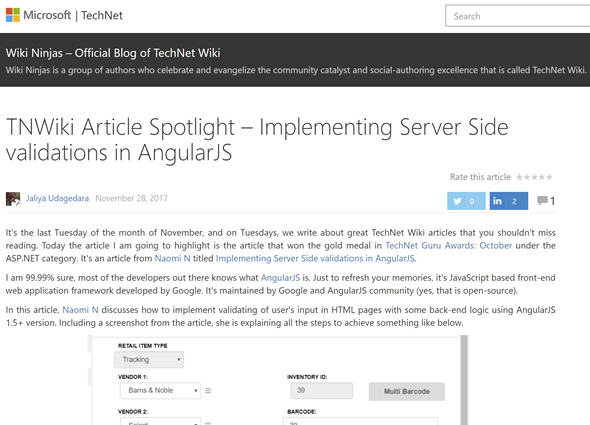
Wrote a post in Wiki Ninjas - Official Blog of TechNet Wiki. The title of the post is TNWiki Article Spotlight – Implementing Server Side validations in AngularJS.
image
TNWiki Article Spotlight – Implementing Server Side validations in AngularJS
Read the rest on,
TNWiki Article Spotlight – Implementing Server Side validations in AngularJS

Happy Coding.

Regards,
Jaliya

Sunday, November 26, 2017

Fiddler Doesn’t Capture All RavenDB REST API Calls

I was trying to figure out an issue in a Web Application that I am currently working on and it has a RavenDB backend.

The code was doing some operations on the RavenDB database (behind the scene those method calls gets translated into API calls to RavenDB REST API), and I was using Fiddler to trace the API calls to RavenDB. But apparently, only some of the API calls were listed on Fiddler and most of the calls were not present. But RavenDB logs showed that it is receiving calls, so I was bit confused why Fiddler isn’t capturing the calls.

Spent couple of hours changing Fiddler settings, RavenDB IIS Web Application settings, but output was still the same.

I had RavenDB IIS Web Application running on 8080 and I was using Url=http://localhost:8080;Database={MyDatabaseName} as the connection string. I just replaced localhost with my machine name and that was it. I am seeing all the API calls to RavenDB in fiddler.

So  if you want Fiddler to capture all RavenDB calls being made from your application, instead of having localhost or 127.0.0.1, use the machine name.

So now everything is in-place to find out the real issue, I am back to it.

Hope someone will find this helpful.

Happy Coding.

Regards,
Jaliya

Tuesday, November 21, 2017

Visual C# Technical Guru - October 2017

Another month as a judge in Microsoft TechNet Guru Awards under Visual C# category. The TechNet Guru Awards celebrate the technical articles on Microsoft TechNet.

Post in WikiNinjas Official Blog,
image
Visual C# Technical Guru - October 2017
Happy Coding.

Regards,
Jaliya

Saturday, November 4, 2017

Azure PowerShell - Cloning App Service Slots

This is some set of scripts I keep using for cloning Azure App Service Slots. Hope someone will find it useful.
# Login
Login-AzureRmAccount
 
# List all subscriptions (this step is only useful if you have multiple subscriptions)
Get-AzureRmSubscription
 
# Select azure subscription (this step is only useful if you have multiple subscriptions)
Get-AzureRmSubscription –SubscriptionName "<SubscriptionName>" | Select-AzureRmSubscription
 
# Listing all slots for a app service
Get-AzureRmWebAppSlot -ResourceGroupName "<ResourceGroupName>" -Name "<AppServiceName>"
 
# Cloning web app to a new slot
$srcWebApp = Get-AzureRmWebApp -ResourceGroupName "<ResourceGroupName>" -Name "<AppServiceName>"
New-AzureRmWebAppSlot -ResourceGroupName "<ResourceGroupName>" -Name "<AppServiceName>" -AppServicePlan "<AppServicePlan>" -Slot "<NewSlotName>" -SourceWebApp $srcWebApp
 
# Cloning web app slot to a new slot
$srcWebAppSlot = Get-AzureRmWebAppSlot -ResourceGroupName "<ResourceGroupName>" -Name "<AppServiceName>" -Slot "<SourceSlotName>"
New-AzureRmWebAppSlot -ResourceGroupName "<ResourceGroupName>" -Name "<AppServiceName>" -AppServicePlan "<AppServicePlan>" -Slot "<NewSlotName>" -SourceWebApp $srcWebAppSlot
Happy Coding.

Regards,
Jaliya

Wednesday, November 1, 2017

ASP.NET Core 2.0: Why it’s important to have Program.BuildWebHost method?

I was doing some refactoring on an ASP.NET Core 2.0 Web Application which was migrated from ASP.NET Core 1.1.

In ASP.NET Core 1.1 Web Applications, program.cs was like this.
public class Program
{
    public static void Main(string[] args)
    {
        var host = new WebHostBuilder()
            .UseKestrel()
            .UseContentRoot(Directory.GetCurrentDirectory())
            .UseIISIntegration()
            .UseStartup&lt;Startup>()
            .UseApplicationInsights()
            .Build();
 
        host.Run();
    }
}
But with ASP.NET Core 2.0, it has to be something like this.
public class Program
{
    public static void Main(string[] args)
    {
        BuildWebHost(args).Run();
    }
 
    public static IWebHost BuildWebHost(string[] args) =>
        WebHost.CreateDefaultBuilder(args)
            .UseStartup&lt;Startup>()
            .Build();
}
I felt like I can eliminate BuildWebHost method, so I did like follows.
public class Program
{
    public static void Main(string[] args)
    {
        WebHost.CreateDefaultBuilder(args)
            .UseStartup&lt;Startup>()
            .Build()
            .Run();
    }
}
All seem be good, the application was running well. After sometime, I wanted to add a database migration, and when I tried to do Add-Migration, I was getting this weird error.
Unable to create an object of type 'T'. Add an implementation of 'IDesignTimeDbContextFactory&lt;T>' to the project, or see https://go.microsoft.com/fwlink/?linkid=851728 for additional patterns supported at design time.
Apparently the error turned out to be program.cs not having BuildWebHost method.

In ASP.NET Core 1.x to ASP.NET Core 2.0 Migration Guide, it specifically says, “The adoption of this new 2.0 pattern is highly recommended and is required for product features like Entity Framework (EF) Core Migrations to work.”

Once I added it back, I was able to add database migrations back again.

Lesson learnt: When doing refactoring, somethings are better left alone!

Happy Coding.

Regards,
Jaliya